Try your first month for $1£1€1A$1C$1
Upgrade your homeschool
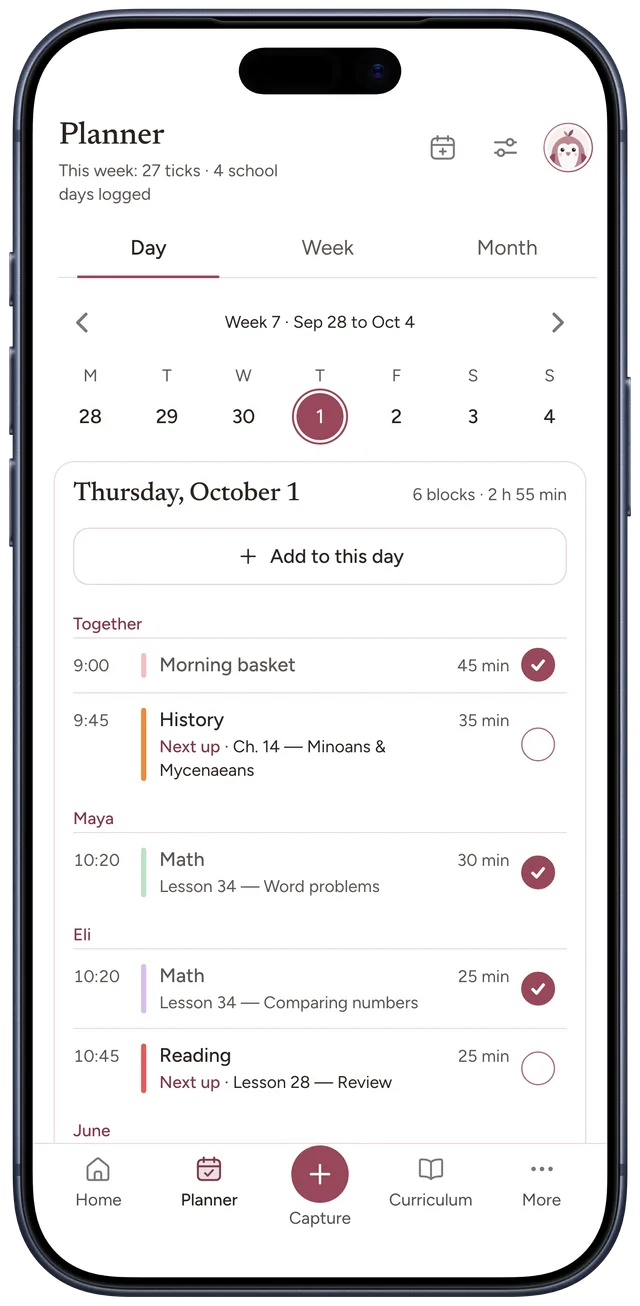
Plan the week. Tap through the day as it happens.
or
By signing up, you agree to our terms and acknowledge our privacy policy.
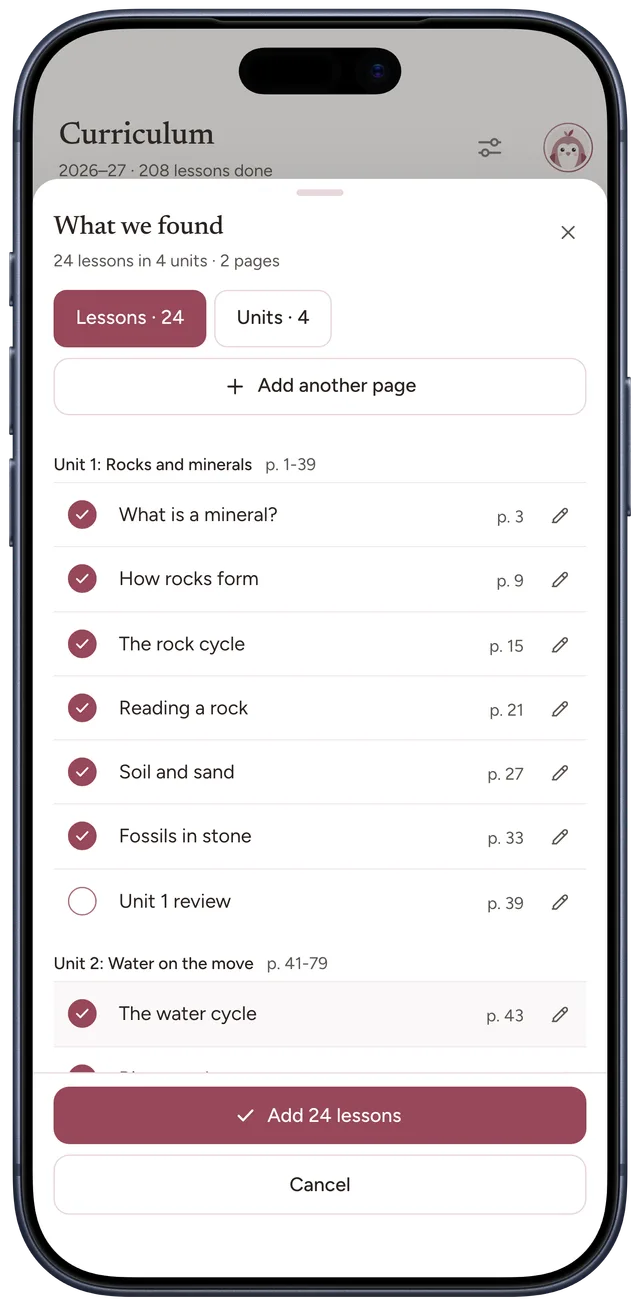
Curriculum
You
Scan the contents
page
Add 24 lessonsAdd 42 lessons
Use the books you already have. Every lesson is added, in order.
Weekly rhythm
You
Choose its days once
History
MTWTFSS
Choose its days once. Lessons fill the weeks ahead.
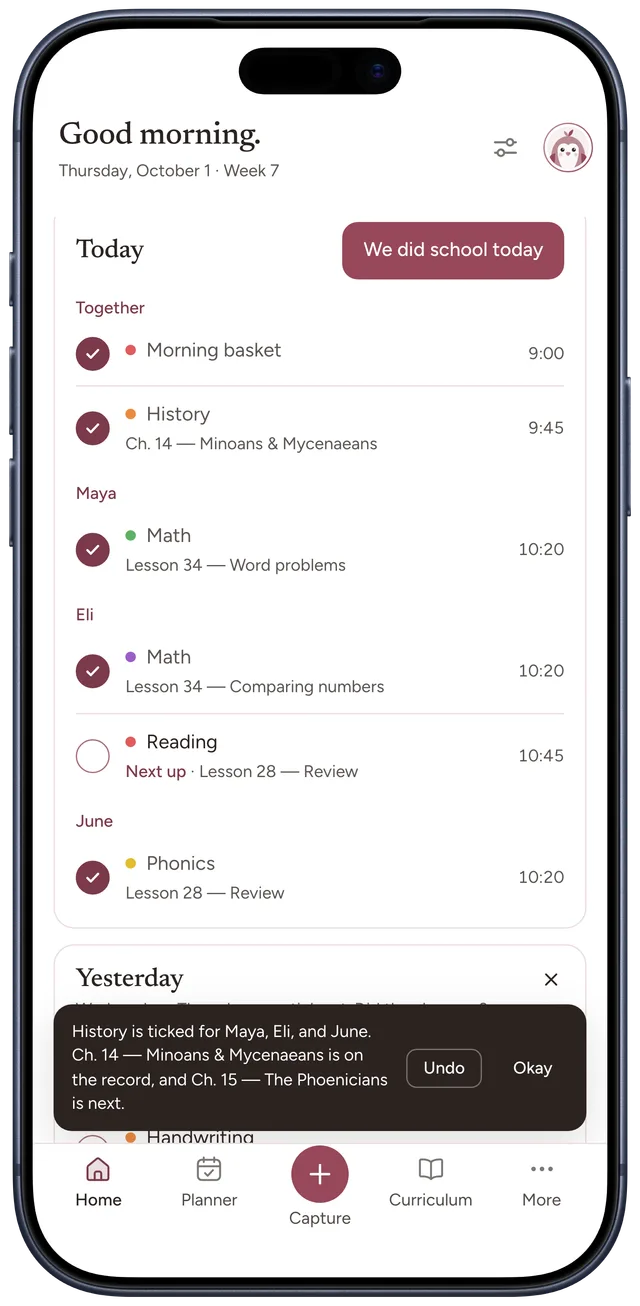
Home
You
Tick it as you teach
History
Ch. 14 · Minoans & Mycenaeans
Tick it as you teach. Nothing to write down.
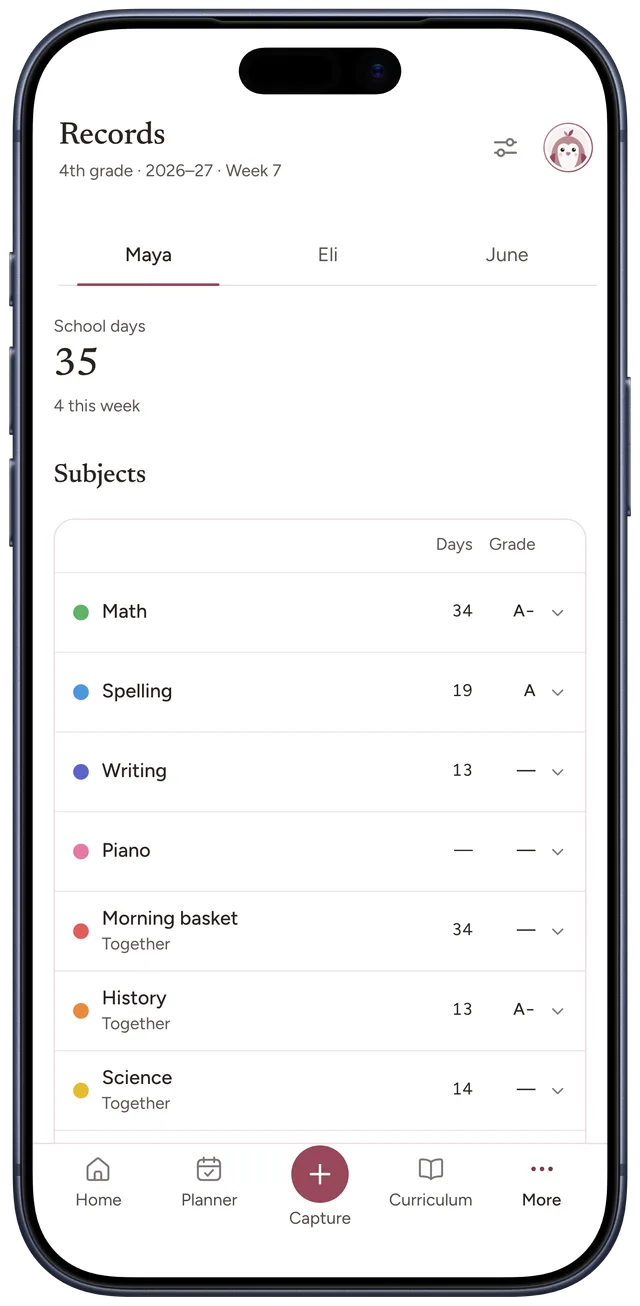
Records
Bowerstead
Print it when asked
Attendance log
Every school day, with its hours
Make PDF
Each tick counts the day. The log is ready to print.
- Works on the web, iPhone and Android
- One price for the whole family
- 30 days to change your mind
See how it all fits together
Plan the week, add your books, and tap through the day. Your records keep up on their own.
Drag a lesson onto a day.
Each subject keeps its days. On a laptop, drag a lesson to the day it fits, just for that day.
- Drag a lesson onto any day
- Just that day, the rhythm stays
- On a phone, tap to add it
Less copying. More teaching.
What a paper planner leaves to you, and what Bowerstead does instead.
Copy every lesson into the planner by hand.
Scan it once.
A photo of the contents page, and every lesson lands in order.
Rewrite the week when a day goes differently.
Move the day.
For one child or for everyone. The lessons stay in order.
Count the school days by hand at the end of the term.
Counted for you.
Every lesson you tick counts the day, and the attendance log is always ready.
Your year adds up.
Every lesson you tick fills in a school day. By the end of the year, your records are already written.
An example school year: 180 school days and 612 hours, counted from the lessons ticked.
- Attendance log Every school day, with its hours
- Grade report This year’s subjects and grades
- Portfolio A list of notes and photos from Moments, by subject
Requirements vary by state. See what your state asks for
Made for real weeks.
Colds, museum days and weeks off. The plan bends around them, and nothing gets lost.
-
Eli is home sick on Friday.
Choose “Move this day”, for Eli only. His Friday goes to Monday, and the lessons stay in order.
-
Saturday is the museum.
Save a photo in Capture. It lands in Moments for each child, and the day counts.
-
Then a week off.
Name the break. The lessons wait for it, in order, and its days are not counted.

However the week goes, the year still adds up.
Yours to take, or to delete.
Export a complete copy of everything, or delete it all, any time, from Settings.
One price for the whole family.
However many children you teach, every plan has every feature. If it is not for you, tell us within a month and we refund it in full.
Intro offer
Monthly
Month to month, no commitment.
Usually$9£7€8A$14C$14, now$1£1€1A$1C$1first month
Then $9£7€8A$14C$14 a month. Cancel anytime.
Choose this planBest value
Yearly
One quiet payment for the whole year.
$79£59€69A$119C$119per year
Save $29£25€27A$49C$49 a year compared with $9£7€8A$14C$14 a month.
Choose this planLifetime
Pay once. Keep it for good.
$249£189€229A$379C$379one payment
Every future update included. Same 30-day guarantee.
Choose this plan- Every feature on every plan
- 30-day money-back guarantee
- Cancel anytime
Questions, answered.
If it is not here, write to us. A real person replies.
Is there a free trial?
No. You choose a plan at the end of setup, and every plan carries a 30-day money-back guarantee instead. You get the finished product rather than a limited version of it, and nobody has to remember to cancel before a clock runs out.
What happens if I stop paying?
Your account stays, and so do your records. It drops to read-only, so reading and exporting stay open and your transcript is still yours to print. Start again and it picks up where it left off.
Can I cancel anytime?
Yes. A few clicks in Settings, no phone call.
Is my family’s data private?
Yes. Private by design, and yours to export or delete whenever you like.
Will it work for my state?
Bowerstead helps you keep records and produce reports and portfolios you can adapt to your requirements.
Can I track more than one child?
Yes. One account holds every child, at no extra cost.