School years, and moving between them
Almost everything in Bowerstead belongs to a school year rather than to the calendar. Understanding that one idea explains most of what you will see, including why a screen sometimes looks emptier than you expected.
What belongs to a year
The year’s dates and any instruction-day goal you set, subjects and their lessons, breaks, your weekly rhythm, ticks, captures, attendance, grades, and each child’s grade level. All of it is filed under one school year. Your homeschool’s name, where you homeschool, and your list of children are the exceptions: those belong to the account and carry across every year.
This is why a child’s grade level is recorded per year rather than once. A transcript needs to know they were in 9th grade that year and 10th grade the next, and a single current value could not say so. In Settings, under Children, the grade you see and change is the one for the year you are working in.
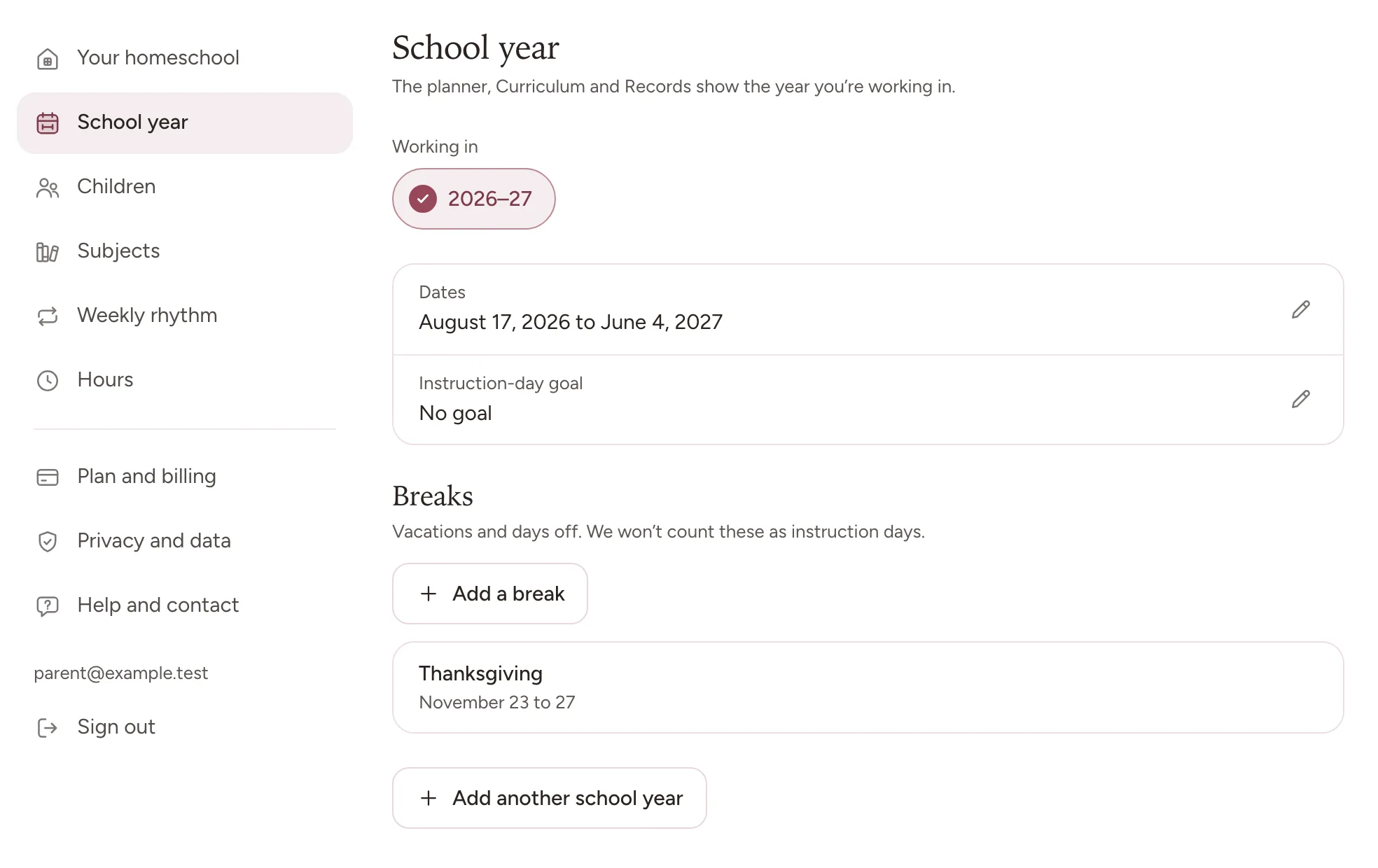
Switching between years
Choose the year in Settings, under School year. Settings opens from Family & settings in the menu, or from More in the phone app. Every year you have made sits in a row under Working in, and one tap moves you into it. Records offers the same choice, under School year in its Options. The planner, Curriculum, and Records all show the year you are working in, so change it in one place and everything follows.
The year you choose is remembered, and on the web it also travels in the address of the page you are on. That is deliberate: a page you left open, reloaded, or came back to still shows the year you chose rather than quietly resetting to the current one.
Looking at a past year
Choose it under Working in and read normally. The planner opens on that year’s last week. Old years stay readable, and their records and documents keep working, which is the point of keeping them. Take the usual care that anything you add while an old year is chosen, such as a subject, a break, or a child’s grade, lands in that year, because it will.
To look back without switching, open Curriculum. Every year that ended before the one you are working in sits under Past years, each in a folder of its own, with its subjects and their lessons.
Starting a new year
Make the new year in Settings, under School year, with Add another school year. The form suggests dates a year on from the year you are working in, and that year stays as it is. Create next year makes the new one and moves you into it, so it becomes the year the app shows you. Until it starts, the planner opens on its first week.
The form’s last choice, Copy planning setup, is ticked to begin with. It brings your subjects across as they are set up, your breaks, moved to the same dates a year later, and your weekly rhythm. Check any break that follows a holiday, such as Thanksgiving, since its dates do not move with the holiday. Lesson lists stay with last year’s subjects, under Past years in Curriculum, so each subject starts the new year with an empty list. An instruction-day goal does not come across either: set one for the new year if you want one. Untick the box and the new year starts with no subjects, breaks, or rhythm at all.
Evidence never copies across, whatever you choose. Last year’s ticks, captures, grades, and attendance stay in last year, where they belong, and the new year starts without them. That is not a gap: a year that inherited last year’s evidence would make every record you export slightly untrue.
Each child’s grade for the new year is set in the same form, under Each child’s grade next year. It suggests the next grade, and a change applies to the new year without rewriting the history of the old one. If you make the new year before this one is over, choose this year again under Working in to keep ticking its days.
Frequently asked questions
Does anything carry over when I start a new year? Your children and your account settings always do. Your subjects, breaks and weekly rhythm do if you leave Copy planning setup ticked. Ticks, captures, grades and attendance never do: they stay in the year they happened in, so that every record you export stays true.
Can I still edit a year that has finished? Yes. Choose it under Working in, in Settings, and work normally. The one thing to watch is that anything you add while an older year is chosen lands in that year, because it will.
Why does a screen look emptier than I expected? Almost always because you are working in a different year from the one you have in mind, often a new year you have just made. The planner, Curriculum and Records all follow Working in, in Settings, so choosing the year you meant fills the screen again.
Where to go next
Subjects and your week covers setting up a year once you have made it.